
See the Residue Contacts Behind Molecular Interfaces
Identify spatially close residue pairs in a protein structure, characterize their contact types and generate structured interaction data.
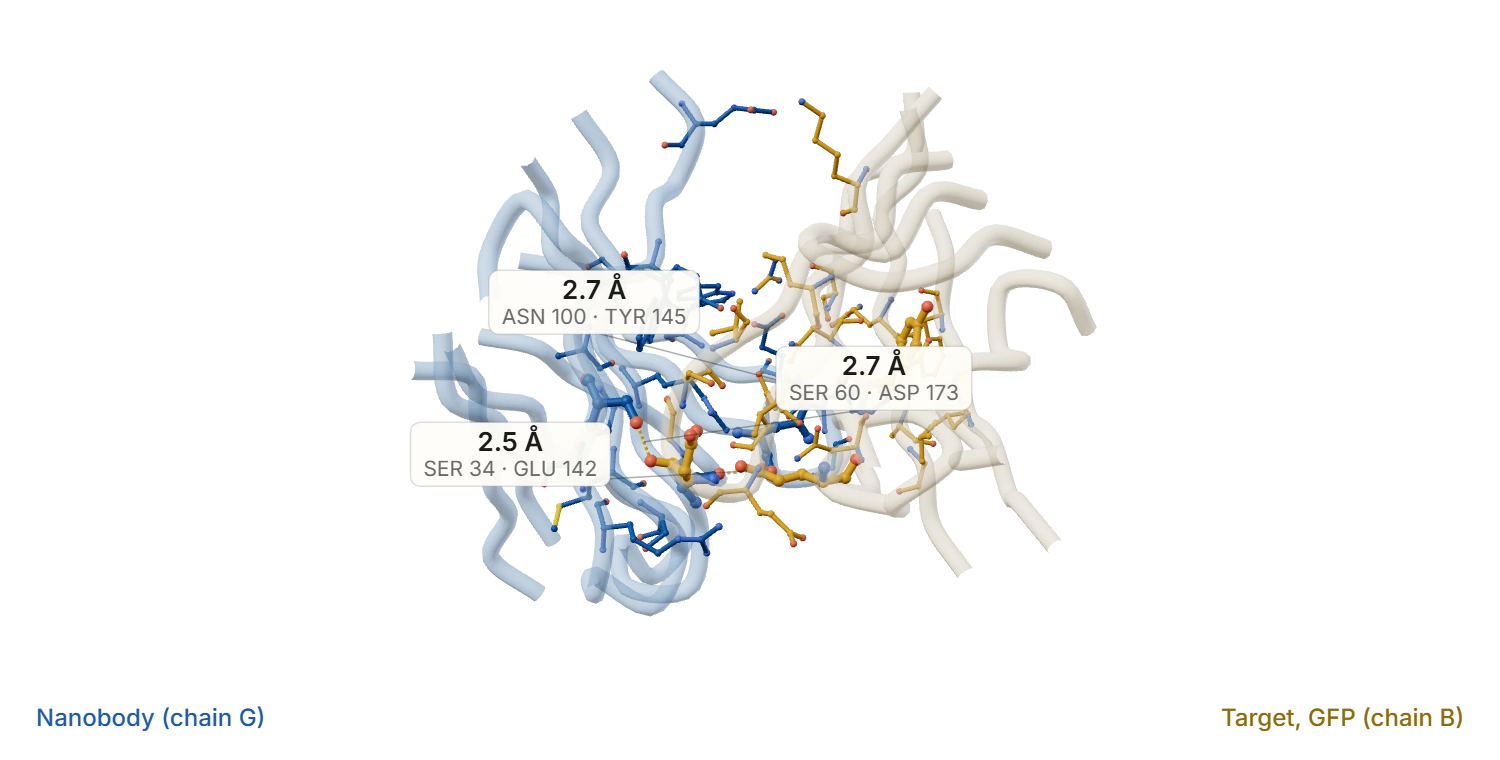
A real interface: PDB 3OGO, a nanobody on green fluorescent protein, with three polar contacts and their distances computed from the coordinates. Proximity, not proven hydrogen bonds, and an example of the output rather than a project result.
A bioinformatics platform for analyzing and visualizing inter-chain and intra-chain interactions in proteins and antibodies — identifying and characterizing hydrogen bonds, hydrophobic and electrostatic interactions and other structural contacts.
Supporting work on protein stability, structural organization and binding mechanisms in antibody engineering, protein design and drug discovery.
- A · Structure input
Single file or a batch
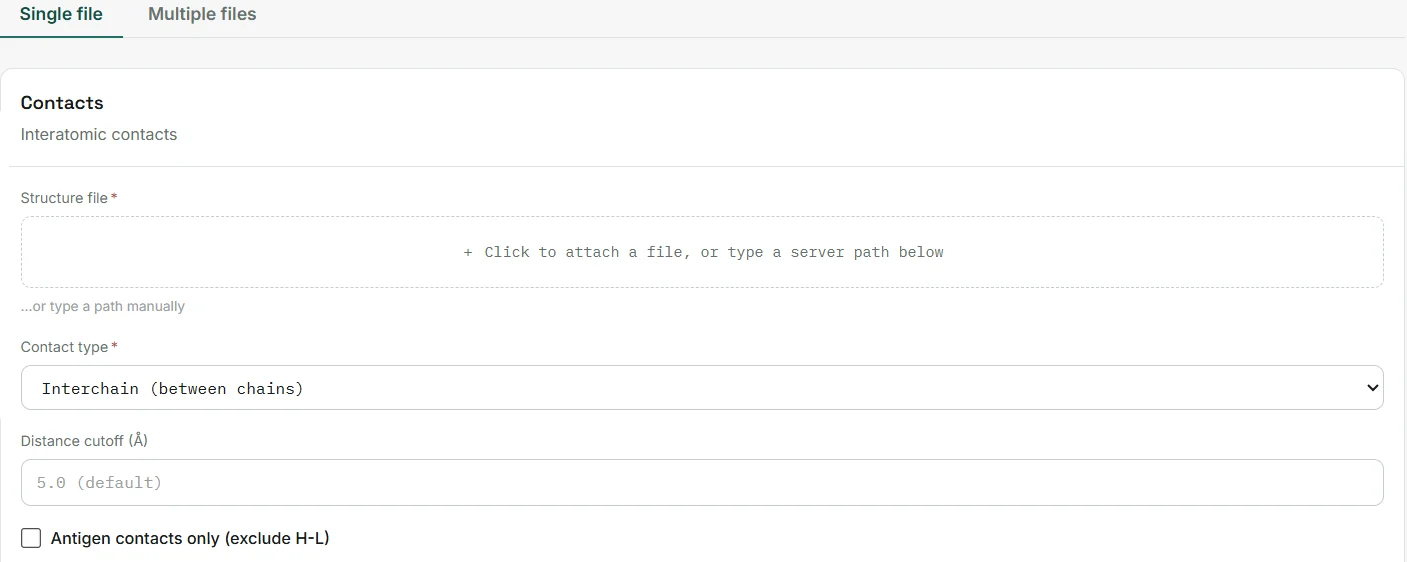
Analyse one structure, or switch to multiple files to run several structures, or a whole folder, in one go.
- Single-structure analysis
- Batch analysis of many files
- A · Structure input
Attach a structure
Attach a PDB or mmCIF structure file, or type a server path.
- PDB, ENT, CIF and mmCIF files
- B · Contact settings
Interchain or intrachain
Look for contacts between different chains, such as an antibody and its antigen, or within a single chain.
- Interchain (between chains)
- Intrachain (within a chain)

- B · Contact settings
Set the distance cutoff
Atom pairs within the cutoff are considered. The default is 5.0 Å.
- Default cutoff 5.0 Å
- Adjustable per run
- B · Contact settings
Keep antigen contacts only
Optionally exclude heavy–light contacts to keep the antigen contacts. This applies to interchain analysis.
- Optional filter
- Interchain mode only
- B · Contact settings
Run many structures together
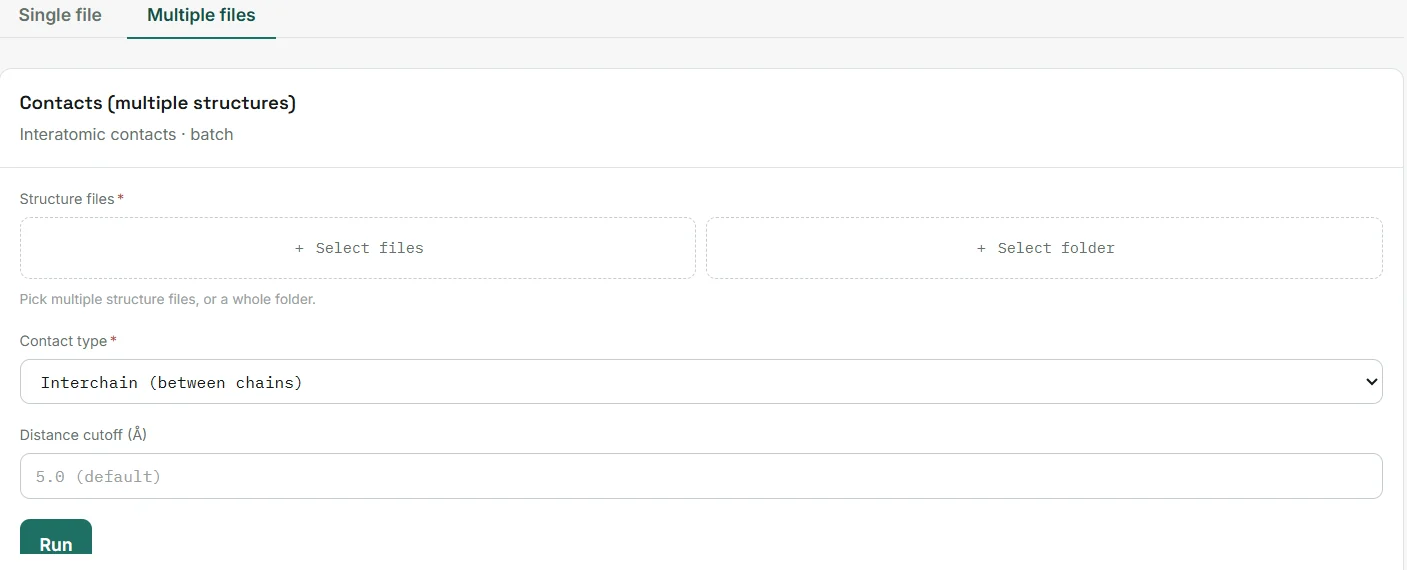
In batch mode, select several files or a folder. Each structure is analysed with the same settings.
- Select files or a whole folder
- Same settings for every structure
From a structure to residue-level contacts
The analysis returns residue-pair contact tables with minimum distances, contact-type labels and CSV export. Labels are geometric assessments, not binding energies or confirmed hydrogen bonds. Try the example below to see how atom contacts roll up into residue pairs.
Analyze a structure
The analysis itself runs in the Prointeract application, not on this page. You provide a PDB, ENT, CIF or mmCIF file (or a batch), choose interchain or intrachain, optionally change the 5.0 Å cutoff, and receive a summary and CSV output.